


Introduction
What is Phi-3 SLM?
Phi-3 SLM (Small Language Model) is a family of powerful, cost-efficient small language models developed by Microsoft. These models are designed to deliver outstanding performance despite their smaller size and are ideally suited for generative AI applications.
What is Semantic Kernel?
Semantic Kernel is a library and framework from Microsoft that enables the integration of language models into programming languages such as C#, Python and Java. It provides a simple and flexible programming environment for embedding AI capabilities into applications.
What is Ollama?
Ollama is an open-source platform that makes it possible to run large and small language models (LLMs, SLMs) locally on a computer. Originally developed to support Llama 2 models, Ollama has expanded its model library and now includes models such as Mistral, Phi-2 and Phi-3. The platform provides a simple way to run these models locally with minimal configuration overhead.
What is a generative AI application?
A generative AI application is an application that uses AI techniques such as language models to generate text, images or other content. Chat-GPT is one well-known example of such an application.
Prerequisites
To get started, the following prerequisites must be in place:
- Installation of the .NET Core SDK (version 8.0 or higher)
- Installation of Ollama
- Installation of a development environment such as Visual Studio Code
Once Ollama is installed, it provides a REST API through which the language models can be accessed.
This API is typically available at http://localhost:11434.
Since we are focusing on the Phi-3 SLM model in this article, we need to make sure it is available in Ollama:
ollama pull phi3:latest
This installs the approximately 2 GB model.
Creating a Simple Console Application
Once all prerequisites are in place, we can create a simple AI application that uses the Phi-3 SLM model to generate text.
dotnet new console -n OllamaPhi3SlmConsoleApp
cd OllamaPhi3SlmConsoleApp
Then the required dependencies need to be added:
dotnet add package Microsoft.Extensions.Hosting
dotnet add package Microsoft.SemanticKernel
Now we can start with the implementation. The following code is added to the provided Program.cs file:
using Microsoft.Extensions.DependencyInjection;
using Microsoft.Extensions.Hosting;
using Microsoft.SemanticKernel;
using Microsoft.SemanticKernel.ChatCompletion;
using System.Text;

// create a new host application builder
var builder = Host.CreateEmptyApplicationBuilder(new HostApplicationBuilderSettings
{
    Args = args
});

// register OpenAI chat completion service
builder.Services.AddOpenAIChatCompletion(
    modelId: "phi3",
    apiKey: null,
    endpoint: new Uri("http://localhost:11434") // With local Ollama OpenAI API endpoint
);

var app = builder.Build();

// create a new chat
var chat = app.Services.GetRequiredService<IChatCompletionService>();

// define the chat system message
var chatSystemMessage = Prompt("What am I?");
if (string.IsNullOrWhiteSpace(chatSystemMessage))
{
    SayGoodbye();
    return;
}

// create a new chat history with the chat system message
var chatHistory = new ChatHistory(chatSystemMessage);

// create a string builder to store the AI response
var stringBuilder = new StringBuilder();

// keep the chat running until the user exits
while (true)
{
    // ask the user for input
    var userQuestion = Prompt();
    if (string.IsNullOrWhiteSpace(userQuestion))
    {
        SayGoodbye();
        break;
    }

    // add the user question to the chat history
    chatHistory.AddUserMessage(userQuestion);

    // get the AI response streamed back to the console
    await foreach (var message in chat.GetStreamingChatMessageContentsAsync(chatHistory))
    {
        Say(message);
        stringBuilder.Append(message.Content);
    }

    // add the AI response to the chat history
    chatHistory.AddAssistantMessage(stringBuilder.ToString());
    stringBuilder.Clear();
}

// prompt the user for a question and return the answer
string? Prompt(string question = "?")
{
    Console.WriteLine();
    Console.Write($"{question} ");

    var answer = Console.ReadLine();
    return answer?.Trim();
}

// write a messages to the console
void Say(StreamingChatMessageContent? message) => Console.Write(message);

// say goodbye to the user
void SayGoodbye() => Console.WriteLine("Goodbye!");
Using the IChatCompletionService interface, a chat conversation with the model can be conducted and responses printed to the console.
The model is addressed via the Ollama REST API available at http://localhost:11434.
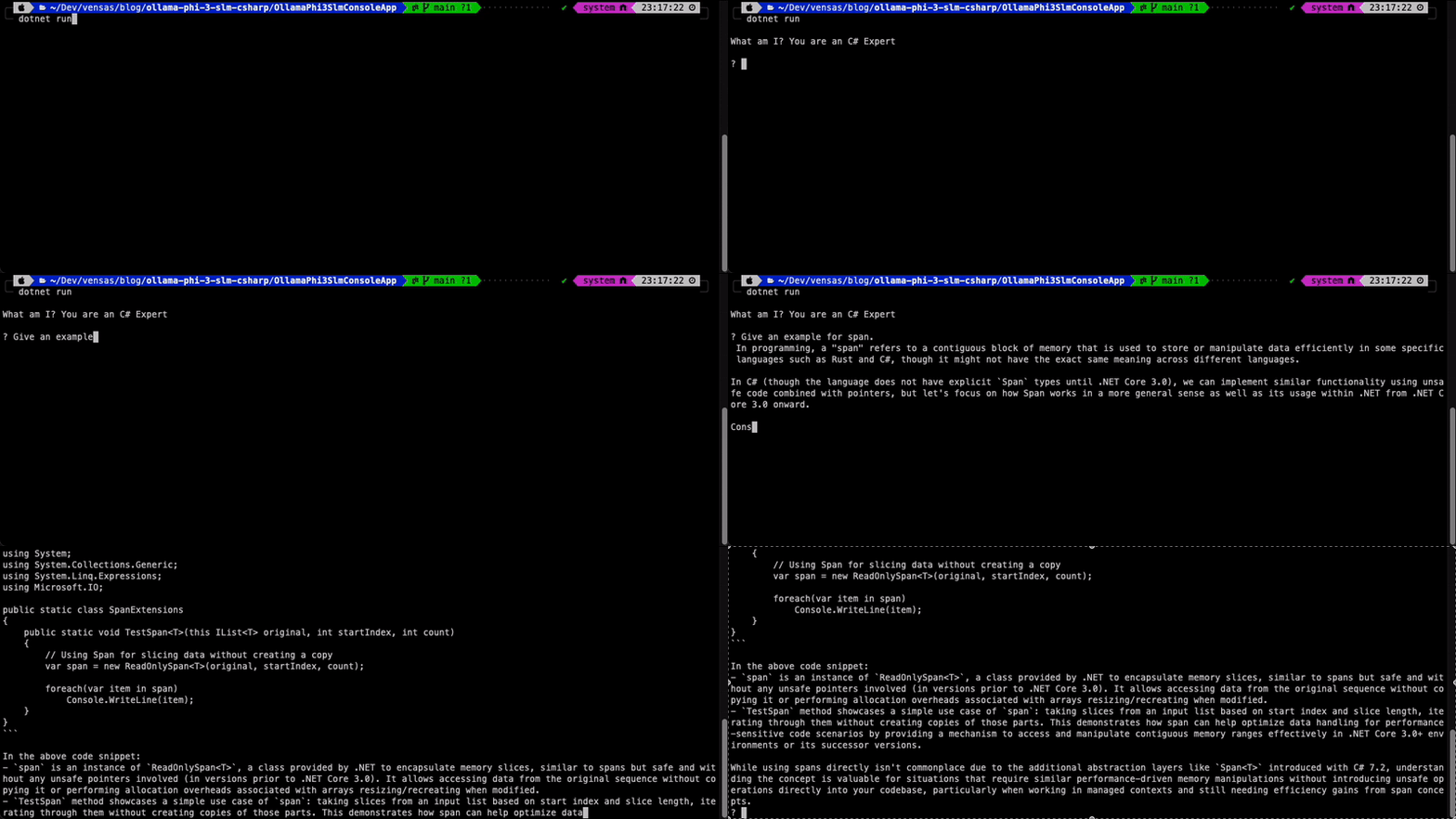
Running the Application
To run the application, navigate to the project directory and execute the following command:
dotnet run
Summary
In this article we saw how to build generative AI applications using Phi-3 SLM, C# Semantic Kernel and Ollama. We created a simple AI application that uses the Phi-3 SLM model to respond to user input. By using Ollama and Semantic Kernel we can harness the power of language models in C# applications and build interactive AI experiences.
Source code
The complete source code for the application is available on GitHub.